 English (United Arab Emirates)
 Dansk
Dansk Deutsch
 English
 English (UK)
 Español
 Francais
 Italiano
 Magyar
 Nederlands
 Norsk
Norsk Polski
 Português (Brasil)
 Pycckui
 Suomi
Suomi Svenska
 עברית
עברית العربية
 日本语
日本语 繁體中文
繁體中文 한국어
한국어
Does cat5 wire order matter?
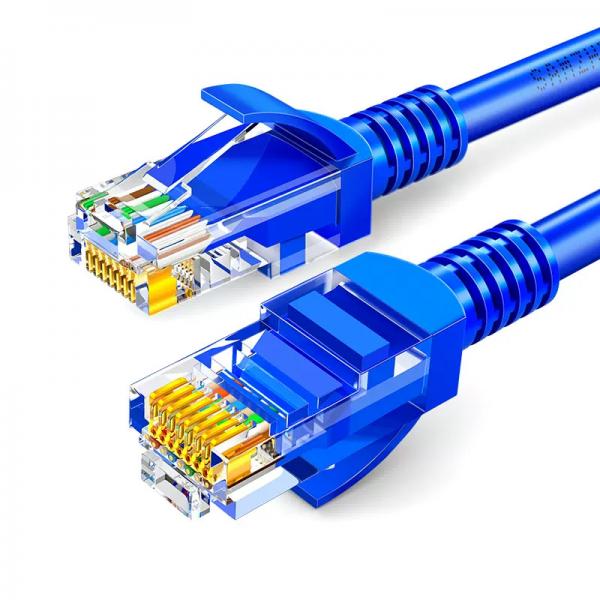
When it comes to networking and data transmission, the order of wires in a Cat5 cable is indeed significant. Cat5, or Category 5, cables are used for Ethernet networking and are designed to support data transmission speeds of up to 100 Mbps. The correct ordering of the wires within the cable is crucial for ensuring reliable communication and optimal performance. This article will delve into the importance of wire order in Cat5 cables, the standards that define these orders, and practical steps to ensure correct wiring.
Understanding Cat5 Cable Structure
A Cat5 cable consists of four twisted pairs of wires, making a total of eight individual wires. Each pair is color-coded to facilitate identification and organization. The twisting of the pairs is crucial as it helps to reduce electromagnetic interference and crosstalk between the pairs, which can degrade the quality of the data transmission.
The pairs in a Cat5 cable are typically color-coded as follows:
- Pair 1: White/Blue and Blue
- Pair 2: White/Orange and Orange
- Pair 3: White/Green and Green
- Pair 4: White/Brown and Brown
Importance of Wire Order
The order in which these wires are terminated into connectors at the ends of the cable is critical. This order is defined by standards, primarily T568A and T568B. These standards ensure that the cable functions correctly by aligning the wires in a specific sequence. Incorrect wire order can lead to a host of issues, including poor connectivity, reduced data speeds, and even complete communication failure.
T568A and T568B Standards
The T568A and T568B are the two wiring standards used for terminating the ends of Cat5 cables into connectors. They specify the order of the wires in the RJ-45 connectors, which are used to plug the cables into networking equipment.
T568A Wiring Order:
- White/Green
- Green
- White/Orange
- Blue
- White/Blue
- Orange
- White/Brown
- Brown
T568B Wiring Order:
- White/Orange
- Orange
- White/Green
- Blue
- White/Blue
- Green
- White/Brown
- Brown
The primary difference between these two standards is the swapping of the green and orange pairs. While both standards are widely used, T568B is more common in the United States, whereas T568A is often used in international and government applications.
Choosing the Right Standard
Selecting the right standard depends on several factors, including existing infrastructure and specific requirements of the network. In general, it is crucial to maintain consistency throughout a network. If an existing network uses T568B, it is best to continue using T568B for any new installations. Mixing the two standards can lead to connectivity issues, as the wiring order will not match, resulting in a crossover cable, which is only appropriate for specific applications.
Creating a Crossover Cable
A crossover cable is used to connect similar devices directly, such as two computers or two switches. It is made by terminating one end of the cable with the T568A standard and the other end with the T568B standard. This swaps the transmit and receive pairs, allowing direct communication between the devices without the need for a switch or hub.
Testing and Verification
Once a Cat5 cable is terminated, it is essential to test it to ensure that it functions correctly. Cable testers are available that can check for continuity, shorts, and proper wiring order. Testing is a crucial step as it can quickly identify any wiring errors that could lead to network issues.
Practical Steps for Proper Termination
-
Prepare the Cable: Strip about 1 inch of the outer jacket of the Cat5 cable to expose the twisted pairs. Be careful not to nick or cut the insulation on the individual wires.
-
Untwist and Align the Wires: Untwist the pairs and align them according to the chosen standard (T568A or T568B). Straighten the wires as much as possible to make insertion into the connector easier.
-
Trim the Wires: Trim the wires so that they are all even and about half an inch in length. This helps ensure that they will all make contact with the pins in the RJ-45 connector.
-
Insert into Connector: Carefully insert the wires into the RJ-45 connector, ensuring that each wire is in the correct slot according to the chosen standard. The flat side of the connector should be facing you as you insert the wires.
-
Crimp the Connector: Use a crimping tool to secure the connector to the cable. This tool will press the pins into the wires, making the electrical connection.
-
Test the Cable: Use a cable tester to verify that the cable is correctly wired and functioning. Check for continuity, correct wiring order, and any shorts or breaks.
Troubleshooting Common Issues
Even with careful attention to detail, issues can arise with Cat5 cables. Common problems include:
- Incorrect Wiring Order: Double-check the wire order if the cable fails testing. A single wire out of place can cause the cable to malfunction.
- Poor Crimping: Ensure that the crimping tool is used correctly and that the connector is fully seated. Poor crimping can lead to intermittent connectivity issues.
- Cable Damage: Inspect the cable for any physical damage, such as cuts or kinks, which can affect performance.
Conclusion
In the world of networking, the order of wires in a Cat5 cable is not just a matter of preference but a necessity for ensuring proper functionality and performance. By adhering to the T568A or T568B standards, network installers and technicians can create reliable connections that support the needs of modern data transmission. Whether setting up a home network or a large-scale enterprise system, understanding and implementing the correct wire order is a fundamental skill that underpins successful networking.


