 English (United Arab Emirates)
 Dansk
Dansk Deutsch
 English
 English (UK)
 Español
 Francais
 Italiano
 Magyar
 Nederlands
 Norsk
Norsk Polski
 Português (Brasil)
 Pycckui
 Suomi
Suomi Svenska
 עברית
עברית العربية
 日本语
日本语 繁體中文
繁體中文 한국어
한국어
Can cat5 do 1gbps?
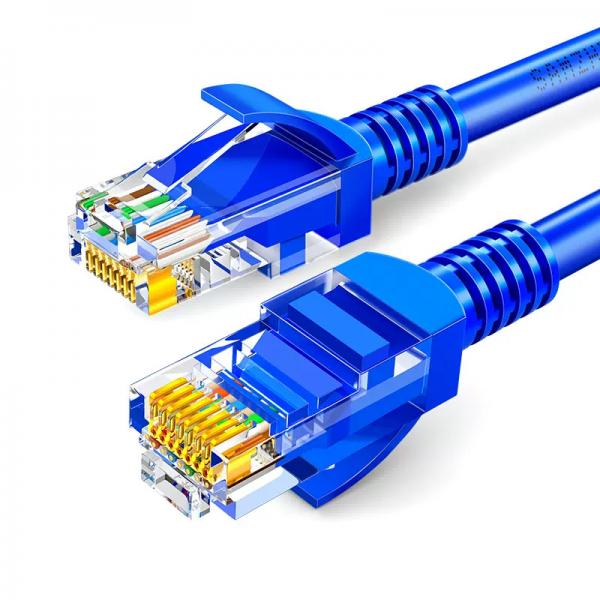
When it comes to networking, understanding the capabilities of different types of Ethernet cables is crucial for setting up an efficient and reliable network. One common question is whether Cat5 cables can support 1 Gbps (Gigabit per second) speeds. To address this question effectively, we need to delve into the specifications of Cat5 cables, explore their limitations, and consider practical scenarios where they might meet or fall short of this requirement.
Understanding Cat5 Cables
Cat5, short for Category 5, is a type of twisted pair cabling used in computer networks. Introduced in the late 1990s, Cat5 cables were designed to support speeds up to 100 Mbps (Megabits per second) over a maximum distance of 100 meters (328 feet). These cables consist of four twisted pairs of copper wires, which are crucial for reducing interference and maintaining signal quality over longer distances.
The Evolution to Gigabit Ethernet
As network technology evolved, the demand for higher data transfer rates increased, leading to the development of Gigabit Ethernet, which supports speeds up to 1 Gbps. To accommodate this, new cable categories were introduced, such as Cat5e (Category 5 Enhanced) and Cat6 (Category 6), both of which are designed to handle Gigabit speeds more reliably than the original Cat5 cables.
Cat5 vs. Cat5e
Cat5e is an improved version of Cat5, with enhanced specifications that reduce crosstalk and electromagnetic interference, making it more suitable for Gigabit Ethernet. While both Cat5 and Cat5e cables have similar physical characteristics, the latter undergoes more stringent testing to ensure it can reliably support 1 Gbps speeds.
Can Cat5 Support 1 Gbps?
Technically speaking, under optimal conditions, Cat5 cables can support Gigabit speeds. However, this is not guaranteed and depends on several factors:
-
Cable Quality: The quality of the Cat5 cable plays a significant role. Older or lower-quality Cat5 cables might not be able to handle the higher frequencies required for 1 Gbps.
-
Distance: The maximum recommended distance for Ethernet cables is 100 meters. As the distance increases, the likelihood of signal degradation also increases, which can affect the ability of a Cat5 cable to maintain 1 Gbps speeds.
-
Interference: External electromagnetic interference can impact the performance of Cat5 cables. Proper shielding and installation practices can mitigate some of these issues, but they are more pronounced in environments with high interference.
-
Network Equipment: The capability of the network equipment, such as switches and routers, also influences whether a Cat5 cable can support Gigabit speeds. Both ends of the connection must support Gigabit Ethernet.
Practical Scenarios
In practice, many users have reported achieving Gigabit speeds with Cat5 cables in home and small office environments. This is often possible when the cable runs are short, the cables are of good quality, and the network environment is relatively free of interference. However, for mission-critical applications or environments with longer cable runs, relying on Cat5 for Gigabit speeds might not be advisable.
Upgrading to Cat5e or Cat6
For those setting up new networks or upgrading existing ones, it is generally recommended to use Cat5e or Cat6 cables. These cables are designed to handle Gigabit speeds more reliably and are not significantly more expensive than Cat5 cables. Cat6 cables, in particular, offer improved performance due to better insulation and reduced crosstalk, making them suitable for even higher speeds and future-proofing your network.
Cost Considerations
While upgrading to Cat5e or Cat6 involves some cost, the investment is often justified by the improved performance and reliability. The price difference between Cat5 and Cat5e cables is minimal, and the long-term benefits of a stable network connection can outweigh the initial expense.
Installation Tips
If you decide to use Cat5 cables for Gigabit Ethernet, consider the following installation tips to maximize performance:
-
Keep Cable Runs Short: Try to keep cable lengths well below the 100-meter limit to reduce the risk of signal degradation.
-
Avoid Sharp Bends: Ensure that cables are not bent sharply, as this can affect the integrity of the twisted pairs and degrade performance.
-
Minimize Interference: Keep cables away from sources of electromagnetic interference, such as power lines and fluorescent lights.
-
Use Quality Connectors: Ensure that the connectors used are of high quality and properly crimped to maintain a good connection.
Testing and Validation
Once your network is set up, it's essential to test the actual performance of your Cat5 cables in supporting Gigabit speeds. Use network testing tools to measure the throughput and identify any potential bottlenecks or issues. This step is crucial to ensure that your network meets the required performance standards.
Conclusion
While Cat5 cables can technically support 1 Gbps under optimal conditions, relying on them for Gigabit Ethernet is not always the best choice, especially for new installations or critical applications. Upgrading to Cat5e or Cat6 cables provides a more reliable and future-proof solution, ensuring that your network can handle current and future demands. By understanding the limitations and capabilities of Cat5 cables and considering the specific needs of your network environment, you can make informed decisions that balance performance, reliability, and cost.


